Well, in pursue of learning VueJS, I was taking a Udemy courses like a few weeks (or months?). Since it was a very slow pacing videos, I somehow understood the concepts, but barely able to put a writing into the code on my own.. So I decided to write this little tiny single-paged project on VueJS.
This VueJS project is a T9 keypad encoder-decoder, which is basically your old Nokia dumbphone that I was trying to imitate.
Visit the project using this link.
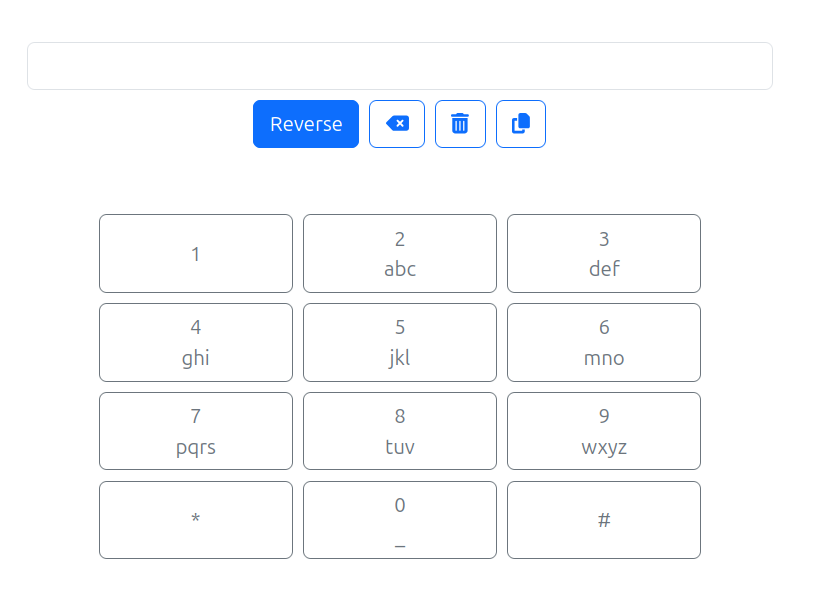
I tried to make it as simple as I could, yet trying using VueJS’ cool functions..
Components
As the main idea of VueJS is components, I made the keypad buttons with component object. They are rendered from a list of objects that consist of the number and the characters (I called them title and subtitle, still cannot let go my Flutter naming days lol). Using bootstrap, I added some padding, margin, and center alignment, wait, this feels like I’m writing a Flutter widget eh..? Then ta-da! The keypad buttons are beautifully rendered. yay!
Functionality
There are some button on the top, which are:
- Reverse
- Backspace
- Delete
- Copy
Reverse is the fundamental process in this T9 because it functions as a decoder-encoder, which translate from number to characters and vice versa. The functions has the same logic with pressing the keypad button.
Backspace? Basically reducing single character from the most right – or last character on the input field. No fancy looking algorithm, just Javascript’s plain splice function.
Delete as deleting whole input text, vanishing anything written.
And the last one is Copy button, which natively calling Javascript copy.
Outro
This is a fun project to utilize VueJS with a very simple purpose that very deliverable with VueJS.